


Add your first widget
When your Dashboard has no widgets yet, add the first one with Manage widgets. You pick one of your dashboard lists, and it appears on the page as a widget.
Before you start
You need:
- Access to the Dashboard (Dashboard in the side menu)
- At least one dashboard list in Settings > Dashboard lists
New to the app? Start with Sign in to the web app.
When to use it
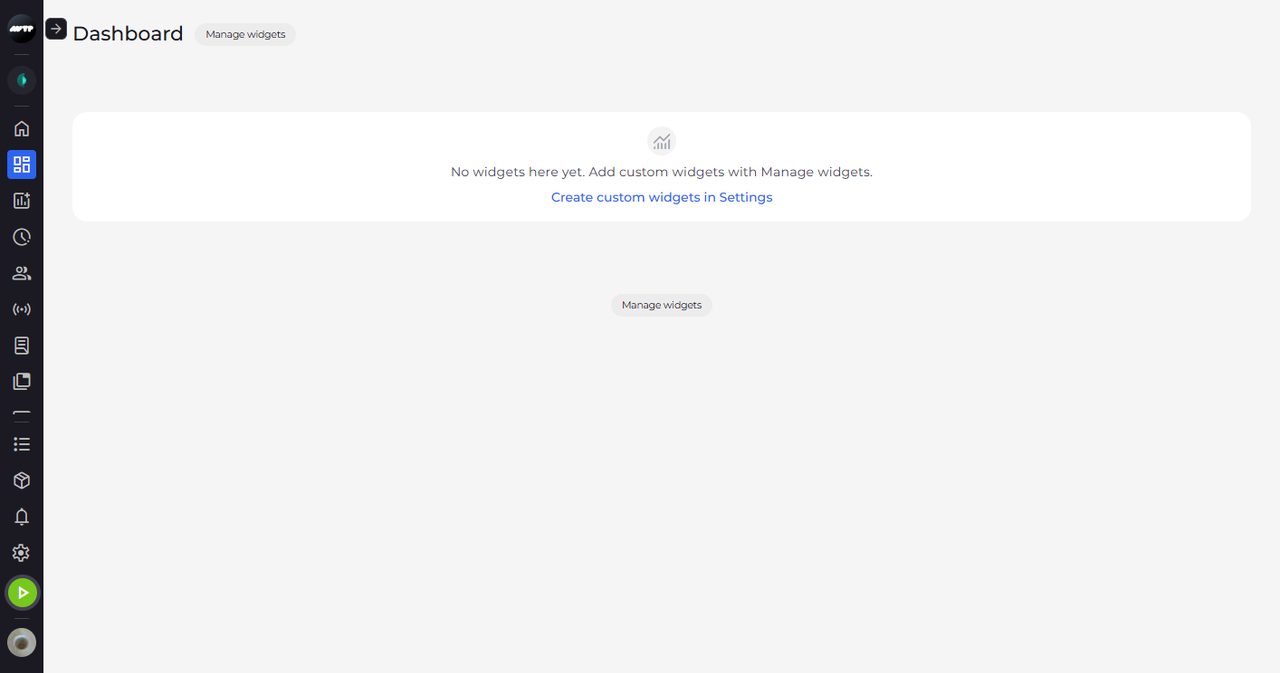
When the Dashboard says "No widgets here yet. Add custom widgets with Manage widgets."
Step by step
-
Step 1: With no widgets, the Dashboard points you to Manage widgets and Settings
In the side menu, click Dashboard. Instead of widgets, the page shows the message "No widgets here yet. Add custom widgets with Manage widgets." Manage widgets is next to the page title and again under the message.
Tip: Create custom widgets in Settings opens Settings > Dashboard lists, where the lists behind the widgets are made. You only see this link if you have access to dashboard lists in Settings.
-
Step 2: The widget is added as a table of the main unit for the last 6 months
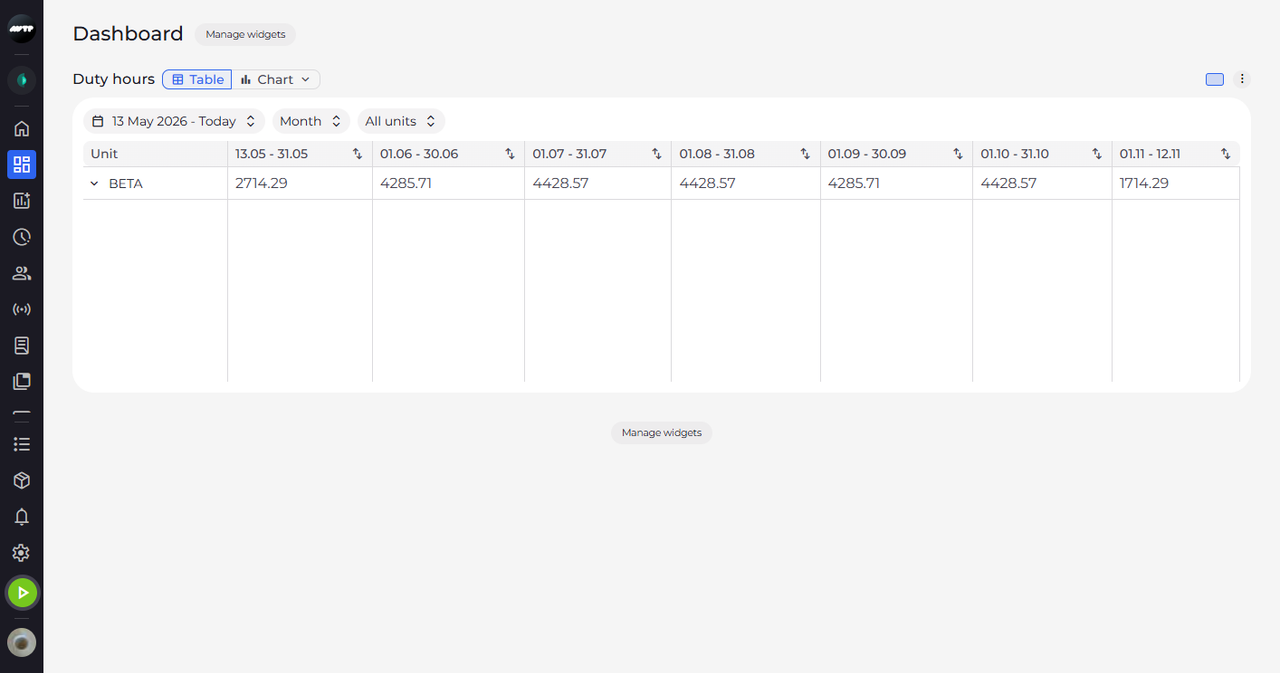
Click Manage widgets, and under Hidden: click the list you want as your first widget. Close the panel with the × in its top right corner. The widget appears on the page under the list's name and shows its data in a table.
Tip: A new widget starts as a Table with All units (your company's main unit with everything under it), resolution Month and the last 6 months up to today, at full width. You change any of it on the widget itself.
What happens next
Your Dashboard has its first widget, and the empty-page message is gone. Add more widgets the same way with Manage widgets.
Good to know
- While the page is empty, Manage widgets shows "No widgets shown" under Shown: and the lists you can add under Hidden:.
Questions
Why does Manage widgets say "No custom widgets yet"?
There is no dashboard list you can add yet. Click Create new dashboard list at the bottom of the panel and create one in Settings > Dashboard lists - or ask your administrator to create one.